

For most small and medium-sized businesses, a hybrid approach combining fast local restores with an offsite cloud copy that uses immutability and tested restores is the safest, most cost-effective way to protect data. Local-only backup suits businesses that need the fastest possible recovery and nothing more. Cloud-only suits those needing offsite resilience and room to grow. Either way, we find that tested, documented restores matter more than the technology you pick.
TL;DR:
- Combining local backups on-site with immutable offsite cloud copies offers the best balance of speed, resilience, and cost for small and medium businesses.
- Testing restore procedures regularly and documenting recovery times is more critical than choosing an advanced technology or specific storage medium.
- Immutability, multi-factor authentication, encryption, and offline copies are key controls to protect backups against ransomware and unauthorized access.
- Relying solely on cloud or local storage increases vulnerability; a hybrid approach covered by the 3-2-1 rule is recommended for comprehensive data protection.
- Prioritize performing and documenting complete restore tests every quarter to identify weaknesses and ensure backup effectiveness before a real incident occurs.
Table of Contents
- Understanding cloud backup: what it is, how it charges, and what to check
- Understanding local (on-site) backup: types, strengths and risks
- Side-by-side comparison for decision-makers
- Practical recommendations and the 3-2-1 hybrid implementation for SMEs
- Checklist and vendor questions: how to decide for your business
- Publisher perspective: how CTA Systems puts the guidance into practice
- What most backup advice gets wrong
- How CTA Systems can help: care plans and managed backup services
- FAQ
- Sources
- Primary guidance and authority links to consult
Understanding cloud backup: what it is, how it charges, and what to check
Cloud backup is often confused with cloud storage or file sync, but they solve different problems. A sync service like OneDrive or Google Drive keeps files accessible and shared across devices. A proper backup service is built around recoverability: it keeps historical versions of your data so you can roll back to a point before something went wrong, not just the latest saved copy. Google Cloud’s own guidance makes this distinction clear, and it’s one of the most common mix-ups we see among business owners who assume their sync folder counts as a backup.
Financially, cloud backup usually runs on a subscription model, which shifts spending from a one-off capital purchase to a recurring operating cost. TechTarget notes that this shift lets a business scale storage up or down as it grows, rather than buying hardware sized for data it doesn’t have yet. That flexibility is genuinely useful for a business with unpredictable growth, though it also means your costs rise quietly as your data volume does.
Before trusting any cloud backup provider, check for:
- Immutability, so backed-up data can’t be altered or deleted, even by a compromised admin account.
- Version history, so you can restore from a point before an infection or accidental deletion.
- Regional storage options, relevant if your data has to stay within a particular jurisdiction.
- Multi-factor authentication on every account that can touch the backup.
- Encryption both in transit and at rest.
The limitations are practical rather than dramatic: uploading large volumes of data takes time and bandwidth, a full restore from the cloud can be slow if you need everything back at once, and you’re ultimately relying on your provider’s service level agreement when something breaks on their end. The NCSC’s guidance on offline backups stresses that cloud backups need immutability and logical separation to resist ransomware. Being in the cloud alone doesn’t make data safe; the controls around it do.
Understanding local (on-site) backup: types, strengths and risks
Local backup covers everything from a simple external hard drive to a dedicated Network Attached Storage (NAS) box, full server images, or snapshot appliances that capture entire systems at set intervals. Each delivers something slightly different.
- External hard drives are cheap and simple, but easy to forget to rotate and vulnerable if left connected.
- NAS devices offer shared, always-on storage for a small office, with built-in redundancy if configured with multiple drives.
- Server images capture a full, bootable copy of a system, useful for rebuilding a machine quickly after failure.
- Snapshot appliances take frequent point-in-time copies, ideal when you need to roll back minutes or hours, not days.
The main appeal of local backup is speed. Restoring from a device in the same building, over a local network, is almost always faster than pulling the same volume of data down from the internet. For a full-system rebuild after hardware failure, that speed difference can be the gap between being back online in an hour versus a day.
The risks are just as real. A fire, flood or theft at a single site can destroy your production systems and your backup simultaneously. Ransomware is worse still: if a backup drive or NAS stays permanently connected to the network, malware that spreads through your systems can encrypt the backup along with everything else. The NCSC’s guidance on mitigating ransomware is direct about this, warning that leaving backup devices always logged in and connected is one of the most common and dangerous mistakes businesses make. There’s also the ongoing cost of hardware ageing, needing replacement, and someone having to maintain it.
The fix is straightforward: encrypt local backups, and keep at least one copy offline or rotated to a separate location so a single disaster or infection can’t reach everything at once.

Pro Tip: Label and date every rotated drive the moment you swap it, so you always know exactly how old your offline copy is without having to check.
Side-by-side comparison for decision-makers
Choosing between cloud, local and hybrid comes down to four practical questions: what it costs, how well it resists ransomware, how fast you can recover, and how much ongoing management it demands.
Cost is where the two models diverge most clearly. Local backup is largely capital expenditure: you buy hardware upfront and absorb maintenance and eventual replacement costs. Cloud backup is operating expenditure: a predictable subscription that scales with your data, though bandwidth and egress charges for large restores are a hidden cost many businesses overlook until their first big recovery. TechTarget’s comparison of the two models is a useful starting point if you’re building a budget case.
Security and ransomware resilience depend less on where data sits and more on the controls wrapped around it. Immutability, logical separation between production and backup systems, at least one genuinely offline copy, and tight identity controls on who can touch backup accounts all matter far more than the cloud-versus-local label itself. The NCSC’s ransomware-resistant backup principles treat these as the real line of defence.
Recovery speed tends to favour local backup when you need a single system or a handful of files back fast, and favours cloud when your entire site is unavailable and you need resilience that doesn’t depend on local hardware surviving. Many businesses need both scenarios covered, which is exactly the gap a hybrid setup closes.
Scalability and management split along similar lines:
- Local hardware needs capacity planning, physical maintenance, and eventual replacement.
- Cloud storage scales on demand but needs monitoring for cost creep and access sprawl.
- Both need someone taking ownership of patching, monitoring and testing, whether that’s in-house or outsourced.
Practical recommendations and the 3-2-1 hybrid implementation for SMEs
The 3-2-1 rule gives SMEs a simple framework to build from: three copies of your data, on two different types of media, with one copy stored offsite. The NCSC’s ransomware-resistant backups collection treats this as an industry standard precisely because it balances local speed with offsite resilience.
In practice, that maps to something like this for a small business:
- Daily incremental backups to a local NAS for fast, same-day restores.
- An immutable cloud copy updated regularly, with weekly full snapshots retained offsite.
- A monthly offline copy, rotated to secure storage away from the network entirely.
Build ransomware resilience into that structure from the start: keep backup retention immutable so nothing can overwrite or delete it early, give backup clients the least access they need and nothing more, require multi-factor authentication on every backup account, and set up monitoring that alerts you if backup jobs fail or behave unexpectedly.
None of this matters without testing. Schedule restore tests on a fixed cadence, assign someone clear ownership of running them, and document your actual recovery time objective (RTO) and recovery point objective (RPO), not the numbers you hope you’d hit. The ICO’s guidance on data security expects exactly this: documented, tested recovery procedures, not just backups sitting untested on a shelf.
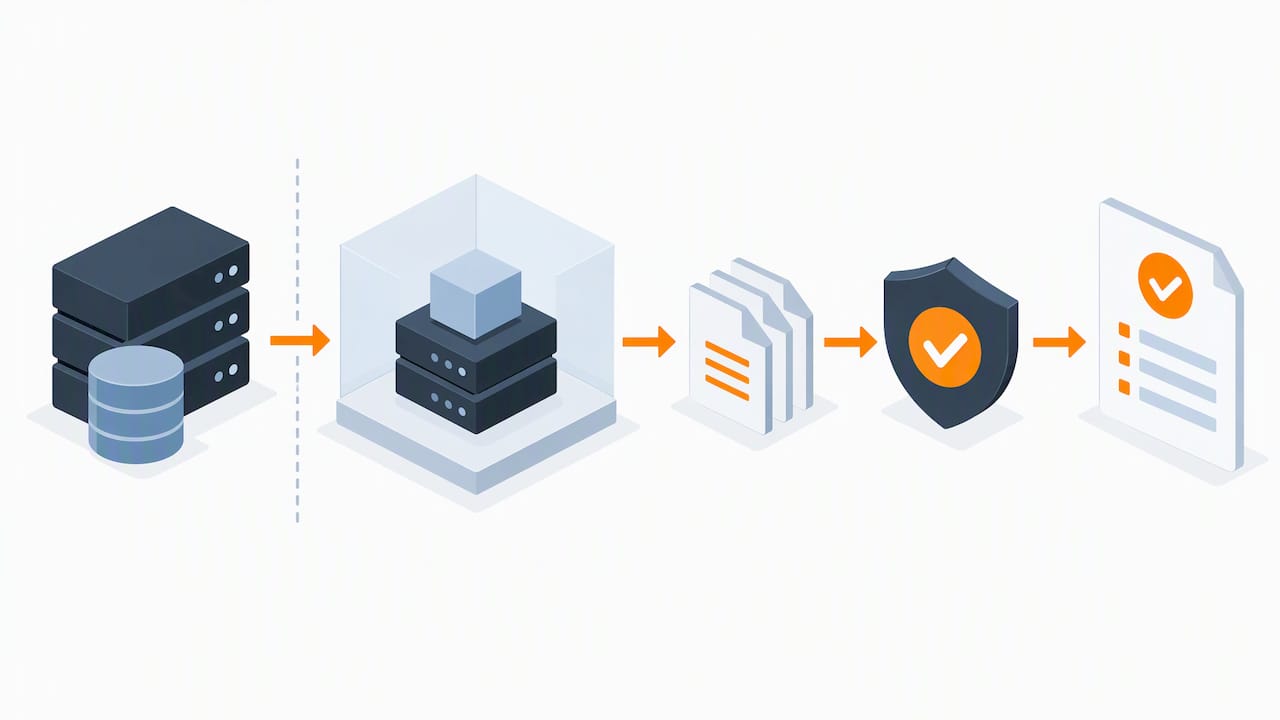
Pro Tip: Run a full restore test at least quarterly, and treat any failure as a finding, not a one-off glitch; it usually points to a gap you’ll be glad you found before an actual incident.
For a low-budget setup, a NAS plus a consumer cloud backup subscription plus a rotated external drive covers the basics. For businesses that would rather not manage any of it themselves, a managed service handling monitoring, testing and documentation removes the ownership gap entirely.
Checklist and vendor questions: how to decide for your business
Start with your own requirements before you look at any provider. Work through:
- Data criticality: what can you not operate without, even for a day?
- Legal and regulatory constraints: does your sector or client base dictate where data can be stored?
- RTO and RPO targets: how fast do you need systems back, and how much data loss can you tolerate?
- Bandwidth and budget: can your connection handle a full cloud restore in a reasonable time?
- In-house skillset: who actually manages and tests this day to day?
When speaking to any backup provider, ask directly: how do you implement immutability, and can you demonstrate it? How often are restores tested, and is that documented? What are the SLA terms for restore time, and where is data physically stored? What does it cost, in time and money, to exit and take your data elsewhere?
Watch for red flags. A provider or internal setup with no documented restore tests, backups that dozens of accounts can modify or delete, or backup clients permanently connected to the production network are all signs of exactly the weaknesses NCSC guidance on mitigating ransomware warns against. A backup you’ve never actually restored from isn’t a backup you can rely on; it’s a hope.
Publisher perspective: how CTA Systems puts the guidance into practice
We approach backup the way this guidance suggests it should be approached: proactive monitoring, a mix of local and immutable cloud retention, and restores we’ve actually tested rather than assumed will work. If you’re evaluating any managed provider, not just us, ask to see a restore demonstration and ask for the SLA in writing. If they can’t show you either, treat that as your answer.
What most backup advice gets wrong
Most advice on this topic treats cloud versus local as a competition with a winner, when the real question is always about recoverability under pressure, not which technology sounds more modern. A business with an immaculate cloud subscription and no tested restore procedure is no safer than one with a dusty external drive nobody has checked in a year.
The conventional wisdom overrates the storage medium and underrates testing, documentation and access control. Immutability and offline copies stop ransomware from reaching every version of your data at once; nothing about “being in the cloud” does that on its own, and nothing about “being local” is inherently riskier if it’s properly isolated and rotated.
If we had to tell a business owner one thing to prioritise first, it wouldn’t be choosing a vendor. It would be running a real restore test this quarter, timing it, and writing down what actually happened. That single exercise tends to reveal more gaps than any amount of comparison reading.
— Will
How CTA Systems can help: care plans and managed backup services
If reading this has left you wondering whether your own backups would actually survive a real test, that’s worth finding out before you need them. Our Care Plans build proactive monitoring, backup and recovery into one predictable monthly fee, so testing and documentation happen on a schedule rather than when someone remembers.

We also offer Remote Monitoring & Management to catch backup failures before they become data loss, and dedicated Data Recovery support when something has already gone wrong. Get in touch for a backup audit or a recovery demonstration through our managed IT support page, and see exactly what your current setup would and wouldn’t recover.
FAQ
What are the downsides of cloud backup?
Cloud backup depends on your internet connection, so uploading large volumes of data takes time and a full restore can be slow if you need everything back at once. You’re also relying on your provider’s service level agreement and security controls, which is why checking for immutability and encryption before signing up matters.
What is better, cloud or local storage?
Neither is better on its own; they solve different problems. Local storage gives the fastest restores for day-to-day issues, while cloud gives offsite resilience if your whole site is affected, which is why most businesses benefit from using both together.
What are the four types of backups?
Common backup types are full (a complete copy of all data), incremental (only changes since the last backup), differential (changes since the last full backup) and mirror (an exact, continuously updated copy). Most businesses combine full and incremental backups to balance storage use with restore speed.
Do I really need cloud backup?
If your only backup sits in the same building as your production systems, a single fire, flood or ransomware infection could take out both at once. The NCSC’s offline backup guidance recommends an offsite or cloud copy alongside local backups specifically to avoid that single point of failure.
Sources
- Offline backups in an online world | National Cyber Security Centre
- A guide to data security | ICO
- Cloud vs local backup: Which is right for your organisation | TechTarget
- Advantages of cloud computing | Google Cloud
Primary guidance and authority links to consult
For deeper or regulatory detail, see the NCSC’s ransomware-resistant backup principles, the ICO’s practical IT security advice, and a vendor-neutral explainer of on-premise versus cloud data.


