

The 3-2-1 backup rule says you should keep multiple copies of your data on different types of media, with one copy off-site. Today that guidance has a sharper edge: at least one copy needs to be immutable or air-gapped, and you need to prove, through regular testing, that it actually restores. This update reflects guidance from the National Cyber Security Centre and NIST on building backup systems that survive modern ransomware.
TL;DR:
- Count production data as the first of three copies, then keep two backups on different media, with one geographically or logically isolated.
- A cloud backup that shares production administrator credentials remains vulnerable to ransomware; separate accounts and alerts should cover mass deletions and retention changes.
- Make one backup immutable for a defined retention period, or disconnect it from the network; cloud retention settings may span 30 to 90 days.
- Test individual files monthly, applications quarterly, and full site failover annually, recording failures and fixing them immediately rather than assuming backups can restore.
- Cloud sync can mirror files encrypted by ransomware, so Microsoft 365 and Google Workspace need separate backups with independent retention and scheduled snapshots.
Table of Contents
- What the 3-2-1 backup rule means in practice
- How the 3-2-1 rule works technically and where it defends you
- Modern variations: 3-2-1-1 and 3-2-1-1-0
- Step-by-step implementation checklist for small organisations and personal users
- Testing, verification and recovery exercises you must run
- Common pitfalls and practical mitigations
- How we apply the 3-2-1 rule for our clients
- The part of 3-2-1 most people get wrong
- Getting your backup strategy properly tested and maintained
- FAQ
- Sources
What the 3-2-1 backup rule means in practice
The rule breaks down into three simple commitments, and each one closes a different gap in your protection.
Your first copy is the live, working data: the files on your server, laptop or SaaS platform that your team touches every day. The “three copies” count that production copy plus two backups, not three separate backups on top of it.
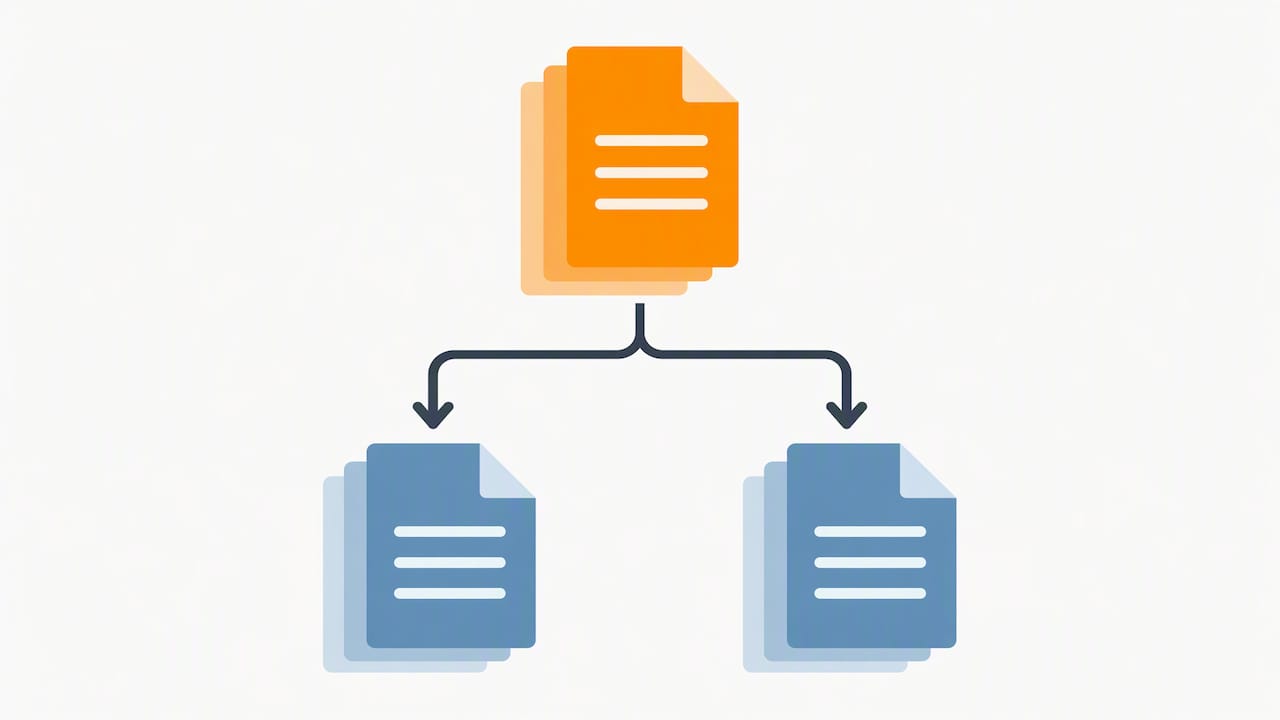
The “two media” element means spreading those backups across genuinely different storage types rather than two folders on the same drive. A typical pairing is a local network-attached storage (NAS) device for fast recovery, alongside cloud object storage or tape for the second copy.
The “one off-site” element is where people most often cut corners. A second hard drive in the next room is not off-site: a fire, flood or theft can take out both at once. Off-site means genuine geographic or logical separation, such as a cloud backup service or a tape rotated to a different building entirely.
- Copy: production data plus two independent backups, never counted twice.
- Media: at least two distinct storage types, such as local disk and cloud object storage.
- Off-site: a copy separated by distance or network isolation, not just a different folder.
How the 3-2-1 rule works technically and where it defends you
Each part of the rule exists to cover a specific way data gets lost, and understanding the mapping helps you decide where to spend your time and budget.
- Device failure: a failed disk or dead laptop is solved by having more than one copy to begin with.
- Media-level failure: a firmware fault, a bad batch of drives or a cloud provider’s regional outage is why the rule insists on two different media types.
- Site or adversary-level failure: fire, flood, theft or a targeted ransomware attack is why at least one copy has to sit somewhere the attacker, or the disaster, cannot reach.
In practice, common pairings look like a local NAS for same-day recovery, backed by a cloud backup service configured with its own retention schedule, or a disk-based primary backup paired with tape rotated off-site weekly. Both pairings satisfy the letter of 3-2-1.
The gap is that 3-2-1 was designed before ransomware routinely targeted backup infrastructure itself. If your cloud backup is reachable with the same administrator credentials as your production systems, an attacker who compromises those credentials can delete or encrypt the “off-site” copy along with everything else. The NCSC’s guidance on ransomware-resistant backups is explicit that backup solutions need to be resilient to destructive actions, trigger alerts on significant changes such as mass deletions or retention edits, and allow restoration from an earlier, unaffected point. A 3-2-1 setup that technically ticks every box but shares credentials and network access across all three copies gives you geographic redundancy without ransomware resistance, which is precisely the gap the modern variants below are built to close.
Modern variations: 3-2-1-1 and 3-2-1-1-0
Two extensions have emerged to patch the credential and verification gaps in classic 3-2-1, and both are worth adopting rather than treating as optional extras.
3-2-1-1 adds a fourth requirement: at least one copy must be immutable or air-gapped, meaning it cannot be altered or deleted, even by an administrator account, for a set retention window. 3-2-1-1-0 goes one step further and adds a zero: zero errors on your restore tests, meaning every backup you rely on has actually been proven to restore, not just assumed to work.
Immutability and air-gapping solve overlapping but distinct problems:
- Immutability locks a copy in cloud object storage so it cannot be changed or deleted for a defined period, protecting it even if an attacker steals valid admin credentials.
- Air-gapping physically or logically disconnects a copy from the network entirely, such as a rotated tape or a drive that is only connected during the backup window, protecting it against broader infrastructure compromise.
The NCSC’s blog on offline backups sets out why cloud copies need these extra controls to count as genuinely “offline-equivalent” rather than just geographically distant.
Pro Tip: Put immutability policy changes behind a separate account with narrow permissions, so no single compromised login can both encrypt your live data and strip protection from your backup.
Step-by-step implementation checklist for small organisations and personal users
Building a working 3-2-1-1-0 setup is less about buying new tools and more about sequencing the decisions correctly.
- Decide what must be backed up. List your critical systems, documents, databases and SaaS platforms, and set a recovery time objective (how fast you need it back) and recovery point objective (how much recent data you can afford to lose) for each.
- Choose two different media types. A local NAS gives fast same-day recovery for everyday mistakes; cloud object storage gives resilience against site-wide disasters but depends on your internet connection for large restores. Pick a combination that matches your bandwidth and recovery speed needs.
- Set up a genuine off-site copy. Configure cloud backup as scheduled snapshots with independent retention settings, or rotate a tape or removable drive to a different physical location on a fixed schedule.
- Enable immutability or an air-gap on at least one copy. Most reputable cloud backup services offer a retention-lock or immutability setting, often with a configurable window of 30 to 90 days.
- Use separate credentials for backup systems. Your backup administrator account should never be the same login used for day-to-day IT administration, and multi-factor authentication should be mandatory on it.
- Turn on alerting for backup-policy changes. Mass deletions, retention changes or new admin accounts on your backup platform should trigger an alert that someone actually reads and acts on.
- Document retention periods, backup cadence and who owns restoration. A written record prevents confusion when the person who set it up is on holiday or has left.
For small organisations without a dedicated disaster recovery plan, our disaster recovery checklist for small businesses walks through scoping your three critical systems before you build the backup plan around them. If your current approach leans heavily on cloud sync tools, our piece on hybrid 3-2-1 backups explains why sync and backup solve different problems.
Pro Tip: Treat Microsoft 365 and Google Workspace as production data that needs its own backup tier, since native retention settings are not built to replace a proper backup.
Testing, verification and recovery exercises you must run
A backup you have never restored is a theory, not a safeguard, which is exactly what the “0” in 3-2-1-1-0 is designed to stop.
Automated verification means computing a cryptographic hash of each backed-up file or object at write time, then re-checking that hash on a later read. This catches silent media degradation, a corrupted file that “backed up fine” but will not restore, long before you need it in an emergency.
NIST’s guidance on resilient recovery architectures recommends a structured testing cadence: a practical version of this is monthly file restores, quarterly application restores and an annual full failover exercise, giving you confidence at every level of severity before a real incident forces the question.
- Monthly: restore a handful of individual files to confirm basic recovery works.
- Quarterly: restore a full application or database to a test environment and verify it runs correctly.
- Annually: run a complete failover exercise, simulating a total site loss, and time how long real recovery takes against your targets.
Record every test result, including failures, and treat a failed restore as an incident that needs fixing immediately, not a note for later.
Common pitfalls and practical mitigations
Most 3-2-1 setups that fail in a real incident were never actually broken on paper, they just had a gap nobody tested for.
- Mistaking cloud sync for backup. Sync tools mirror changes instantly, which means ransomware encrypting your files gets faithfully copied too; a real backup needs independent retention and scheduled snapshots instead.
- Single-admin credentials across every copy. One compromised login should never be able to touch production data and every backup copy at once.
- Unverified backups. A backup nobody has restored is an assumption, not a safeguard.
- Retention windows that are too short. If ransomware sits undetected for weeks, your clean backup needs to still exist when you finally notice.
Mitigate these with separate backup accounts, least-privilege access, active alerting, off-site immutability and documented restore procedures. When internal time or specialist skills run short, that is the point to bring in a managed IT partner rather than letting the gaps persist.
How we apply the 3-2-1 rule for our clients
Experience shows that backup setups can quietly drift out of date once nobody is watching them. A methodical and proactive approach aims to catch failing backup jobs or expired retention policies before they cause recovery failure.
That discipline is why we publish practical routines such as our 30 Minute Monthly Review, a short checklist designed to help small teams keep backup jobs, alerts and credentials in order without needing a full-time IT department watching every dashboard.
The part of 3-2-1 most people get wrong
The conventional advice on 3-2-1 treats it as a storage arithmetic problem: three copies, two media, one off-site, tick the boxes, done. That framing misses the actual failure mode we see most often, which is not a missing copy but an untested one. A business can have three technically compliant copies and still lose everything if the off-site copy shares credentials with production, or if nobody has tried restoring from it in two years.
If you take one thing from this rule, let it be the testing cadence, not the copy count. A verified monthly restore tells you more about your real resilience than a fourth backup location ever will. Immutability matters too, but it is a lock on a door you still need to check actually opens.
Prioritise proving your backups work before you spend more on where they sit.
— Will
Getting your backup strategy properly tested and maintained
Working out whether your current setup actually meets the modern 3-2-1-1-0 standard, immutable copies, separate credentials, genuine restore tests, takes time most internal teams do not have spare. Our Managed IT Support includes Backup & Recovery, Remote Monitoring & Management, and Care Plans built around exactly this kind of ongoing verification.

- Backup & Recovery: configuration, monitoring and restore testing for local, cloud and hybrid setups.
- Remote Monitoring & Management: proactive alerts when backup jobs fail or policies change unexpectedly.
- Care Plans: fixed monthly fees covering ongoing backup checks alongside wider IT support.
If you would like a straightforward review of where your current backups stand against the 3-2-1-1-0 standard, get in touch with our team and we will talk you through what a tested, verified setup would look like for your organisation.
FAQ
What is a 3-2-1 backup strategy?
A 3-2-1 backup strategy means keeping three copies of your data (the original plus two backups), on two different types of media, with at least one copy stored off-site. It protects against device failure, media faults and site-level disasters by spreading risk across locations and storage types.
Is the 3-2-1 backup rule outdated?
The core principle still holds, but the NCSC confirms that cloud copies now need extra controls, such as retention locks and versioning, to act as genuinely “offline-equivalent” protection against ransomware. Many organisations now extend it to 3-2-1-1 or 3-2-1-1-0 to close that gap.
What is the 3-2-1-1-0 rule for backing up data?
The 3-2-1-1-0 rule extends classic 3-2-1 by requiring one copy to be immutable or air-gapped, and by insisting on zero unverified restores, meaning every backup has been tested and confirmed to actually work. The added digits specifically target ransomware resistance and silent backup failure.
How often should I test my backups?
A recommended cadence, drawn from resilient recovery guidance, is regular file restores, periodic application restores and an annual full failover exercise. Recording and acting on every test result, including failures, is what separates a reliable backup from an assumed one.
Can CTA Systems manage backups for my business?
Backup & Recovery and Remote Monitoring & Management services, often included in Care Plans, can be designed to configure, monitor and regularly test backup systems to meet the modern 3-2-1-1-0 standard.
Sources
Readers implementing or auditing a 3-2-1 strategy should consult primary guidance directly rather than relying solely on summaries. The NCSC’s offline backups guidance and its ransomware-resistant backup principles cover configuration and resilience requirements in detail, while NIST’s recovery architecture guidance sets out verification and testing practice. For monitoring backup systems and alerting on failures, Uptime Beacon’s blog covers incident and uptime reporting relevant to backup infrastructure.
- Offline backups in an online world | National Cyber Security Centre
- NIST SP 800-209 (example NIST backup/recovery guidance)


