

Why Your Emails End Up in Junk (and What Most Businesses Miss)
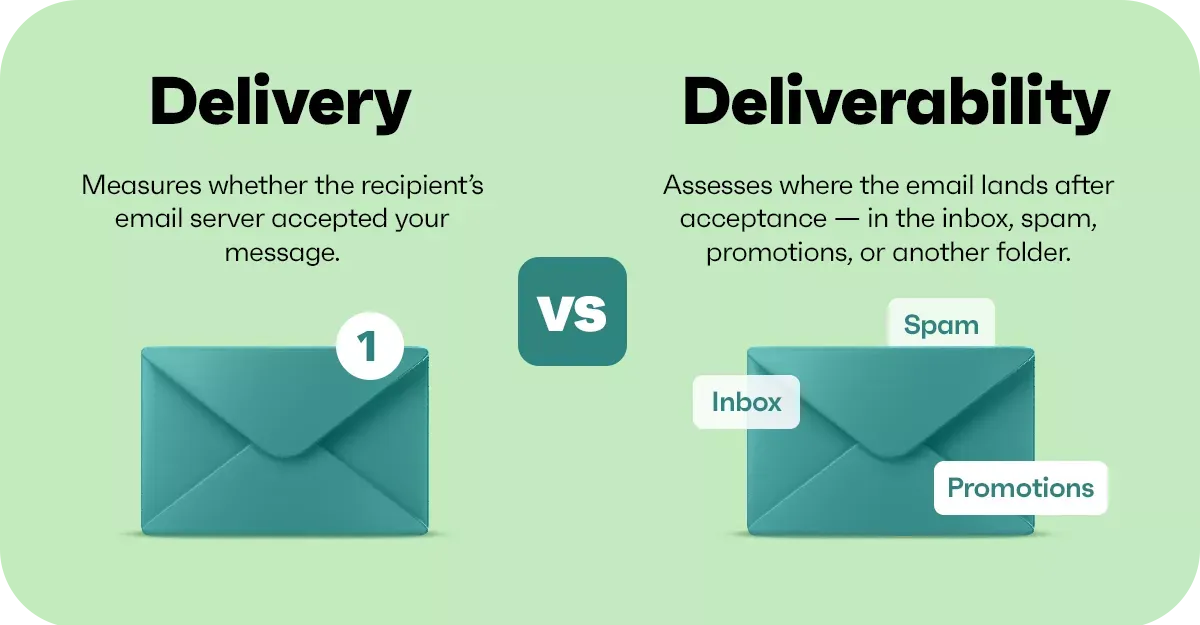


Most businesses assume if they can send and receive emails, everything’s fine.
It isn’t.
Email has changed a lot over the years. Every message you send now gets checked before it lands in someone’s inbox. If your domain doesn’t look trustworthy, it gets treated that way. Quietly pushed into junk, or blocked completely.
No warning. No notification. It just… doesn’t land.
We see this more often than you’d think.
What’s Actually Going On Behind the Scenes
There are a couple of key things that decide whether your emails are trusted or not. The main ones are DKIM and DMARC.
DKIM is basically a digital signature on your emails. It proves the message actually came from your domain and hasn’t been tampered with.
DMARC sits on top of that and tells other mail systems what to do if something doesn’t match. With a proper setup, anything suspicious gets rejected rather than slipping through.
If these aren’t right, or they’ve drifted over time, a few things start happening:
Your emails land in junk
Some never get delivered at all
Your domain can be spoofed by someone else
That last one’s the big one. If someone sends emails pretending to be you, it’s your reputation on the line, not theirs.
The Bit Most IT Providers Don’t Stay On Top Of
This is where it gets interesting.
A lot of systems get set up once and then left alone. At the time, everything works. Over time, things change. Microsoft updates things, domains get moved, services change, records get missed.
Nothing breaks in an obvious way. It just slowly degrades.
Emails start landing in junk more often. Clients say “we never received it”. Things feel inconsistent, but no one can quite put their finger on why.
That’s usually where we step in and find it.
Website Forms Have the Same Problem


It’s not just email.
Website forms are another one that gets forgotten about.
If they’re not protected properly, bots start hammering them. You end up with spam, missed enquiries, or forms just not behaving how they should.
Google reCAPTCHA is a simple fix, but it needs to be in place and working properly. When it is, things just run smoothly in the background.
When it isn’t, you either get flooded with rubbish or things quietly stop working the way they should.
What We’ve Been Doing Recently
Over the past few days, we’ve gone through every client setup to make sure everything is exactly where it should be.
That means:
Re-checking DKIM across all Microsoft 365 domains
Confirming DMARC is set to reject properly
Verifying website forms are protected with reCAPTCHA where applicable
Not because anything’s gone wrong. Just making sure nothing does.
Why This Actually Matters
This isn’t about ticking boxes or adding technical features for the sake of it.
It’s about making sure:
Your emails actually reach people
Your business can’t be impersonated
Your website enquiries come through properly
Your reputation stays intact
Most businesses only realise this stuff matters when something breaks.
We’d rather you never have to.
How CTA Systems Fits Into This
This is the kind of work that doesn’t get noticed when it’s done properly.
No tickets raised. No emergency calls. No downtime.
Just systems that work the way they should.
That’s the whole point.
If you’re already with us, this is all happening in the background as part of what we do.
If you’re not, and you’re not 100% sure your setup is where it should be, it’s worth a look. These are the kinds of issues that don’t shout, but they do cost you over time.


