

A phishing simulation programme is an ongoing, non-punitive combination of realistic simulated attacks, immediate role-based remediation and a clear reporting path, run continuously rather than as a once-a-year test. The single best approach is to build this as a programme, not a product: success means fewer risky clicks over time, but more importantly, far more employees reporting suspicious emails when they see them.
TL;DR:
- Run staggered campaigns monthly or every other month, tailoring invoice fraud to finance, payroll lures to HR, and credential reset scenarios to IT.
- Track report rates, how quickly employees report, repeat clickers, and real incident volume; click rates alone cannot distinguish better judgment from disengagement.
- After a click, deliver a brief, nonjudgmental lesson within seconds, and never use individual results for discipline or expose them broadly.
- Before launch, secure HR and legal approval, document scope and rules, and ensure simulations never collect real credentials or sensitive personal data.
- Keep spam filtering, multifactor authentication, and application controls in place; simulations reinforce the human layer but cannot replace technical defenses.
Table of Contents
- Programme versus product: what a phishing simulation programme really is
- A practical framework for designing and running your programme
- Choosing tools, vendors and deciding between in-house and managed delivery
- Measuring success: the metrics that actually matter
- Running simulations responsibly: operational, HR and legal checks
- An applied example: how a managed programme gets operationalised
- Types of phishing attacks used in simulations
- Fitting simulations into your wider security awareness programme
- Tailoring simulations for different roles and departments
- Legal and ethical considerations beyond HR sign-off
- What successful programmes have in common
- Lessons learned and common pitfalls to avoid
- How we help SMEs run a managed phishing programme
- FAQ
- Sources
Programme versus product: what a phishing simulation programme really is
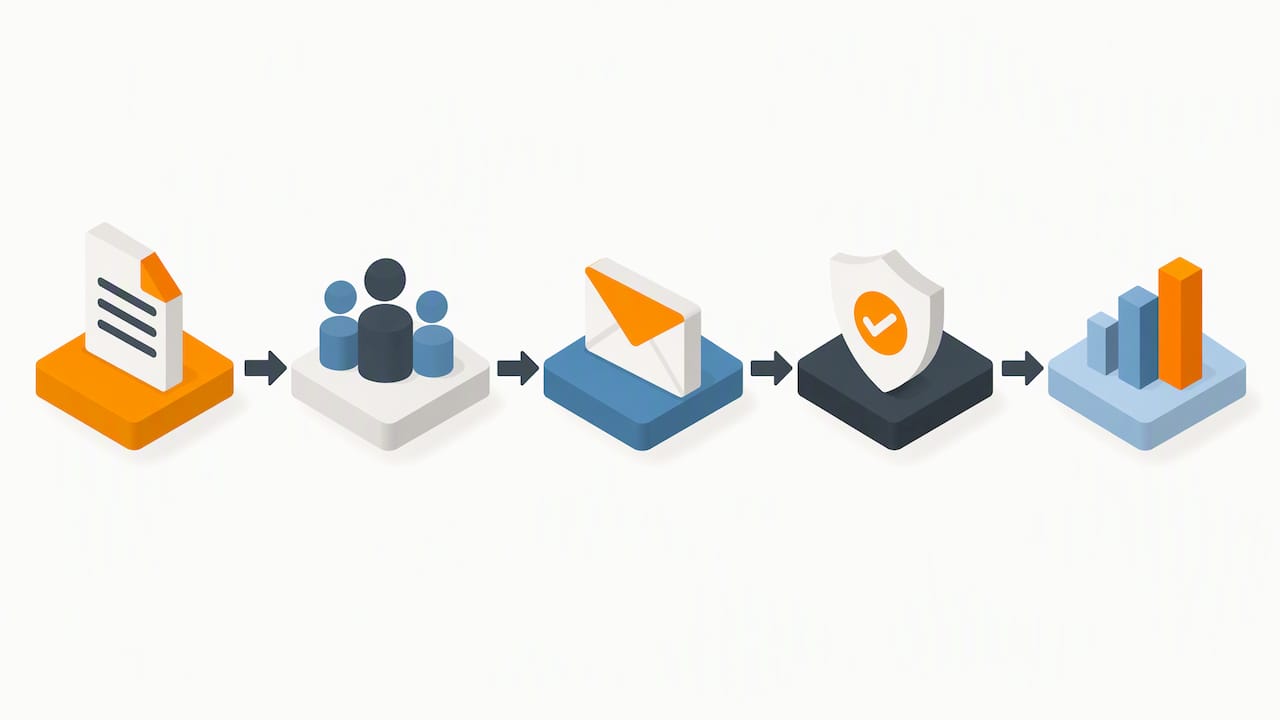
Many teams buy a phishing simulation tool and assume the job is done. A tool sends fake emails and logs who clicked. A programme is the structure around that tool: the policy that sets why you are testing, the scoping that decides who gets tested and how often, the campaigns themselves, the remediation that follows a click, and the reporting that proves the whole thing is working.
NCSC guidance on phishing recommends a layered approach to defending against phishing, and it is explicit that simulations alone cannot teach staff to spot every type of attack. Technical controls such as spam filtering, multifactor authentication and application control still carry most of the weight. Simulations exist to test and reinforce the human layer that sits alongside those controls, not to replace them.
A well-run programme typically includes:
- A written policy describing goals, scope and how results will (and will not) be used.
- Segmented campaigns matched to role and risk level rather than one email blasted to everyone.
- A fast, documented remediation path triggered the moment someone clicks.
- A reporting channel that is easier to use than the attack itself.
- Metrics that track reporting and resilience, not only who clicked.
Where this goes wrong is when the programme becomes a box-ticking exercise, run once a year to satisfy an auditor. The value comes from repetition, feedback and a culture where reporting a suspicious email feels normal rather than risky. Our guide to patch management for SMEs covers a parallel point: technical hygiene and human awareness only work when they reinforce each other, not when one substitutes for the other.
A practical framework for designing and running your programme
Building a phishing simulation programme from scratch feels daunting until you break it into stages. Here is a sequence that works for most organisations, from a ten-person firm to a multi-site business with hundreds of staff.
- Set goals before you set dates. Decide what you are trying to change: click rates, reporting rates, time-to-report, or all three. Write these down so you can measure against them later.
- Scope by role and risk, not by convenience. Finance teams handling payments, HR staff processing personal data and executives with public profiles face different threats to a warehouse operative. Group staff into cohorts based on what an attacker would actually target.
- Build realistic personas and scenarios. A generic “you’ve won a prize” email teaches nothing useful. Model templates on what your industry actually receives: invoice fraud, delivery notifications, internal IT requests.
- Vary the channel and the difficulty. Email is the obvious starting point, but smishing (text) and vishing (voice) scenarios test the same instincts in different contexts. Increase difficulty gradually as reporting rates improve.
- Set a cadence and stick to it. Monthly or bi-monthly campaigns, staggered across cohorts, keep the programme present without becoming predictable.
- Remediate immediately. Anyone who clicks should land on a short, non-judgemental explainer within seconds, not a disciplinary email a week later.
- Track trends, not single events. A repeat clicker three campaigns running tells you more than any single failure.
A large field experiment covering more than 10,000 participants found that giving people a single simulated phishing experience reduced click rates more than information-only training, and that combining both did not meaningfully improve on experience alone. This supports designing campaigns around realistic, scripted experiences with an immediate debrief, rather than relying on slide decks or annual refresher videos.
Scoping also matters for governance reasons. The CyAS Scheme Standard lists phishing as an acceptable initial-access technique for adversary simulation engagements, but only when the engagement is properly scoped, reconnaissance is agreed in advance, and rules of engagement are documented. The same discipline applies whether you are running an internal awareness campaign or commissioning a full adversary simulation: define objectives and limits before you send a single email.
Pro Tip: Run a short, facilitated micro-exercise with small groups straight after a campaign ends. A handful of participants reviewing real (anonymised) examples together cements the reporting habit far faster than another email reminder.
Choosing tools, vendors and deciding between in-house and managed delivery
Picking a platform is where many teams start, but it should come after the programme design, not before. Once you know your cohorts, cadence and reporting requirements, the tool choice becomes a checklist exercise rather than a guess.
Look for:
- Template realism, including localisation for your industry and region, not just generic templates.
- Reporting integration, ideally a one-click “report phishing” button inside the mail client itself.
- API and platform integrations, particularly with your email security and identity provider, so campaign results feed into your wider security picture.
- Accessibility, so remediation content works for staff with different reading levels, languages or assistive needs.
- Auditor-ready reporting, with exportable evidence of campaigns run, results and remediation actions taken.
Smaller organisations without a dedicated security team often get better outcomes from a managed service than from running the platform themselves. A managed provider brings operational ownership of the whole cycle: scoping, campaign scheduling, remediation content and reporting, usually for a predictable monthly cost rather than a mix of software licences and internal staff time.
If you are weighing this up internally, a realistic in-house readiness checklist includes:
- Someone with time to own the programme ongoing, not as an add-on to another role.
- Content design capacity to keep templates relevant and realistic.
- Integration capability with your existing email and identity systems.
- Capacity to handle remediation conversations promptly, including with repeat clickers.
If any of those are missing, a managed option is usually faster to stand up and cheaper than hiring for the gap. Our piece comparing MDR and XDR for SMEs covers a similar build-versus-buy decision for monitoring, and the same logic largely applies here.
Measuring success: the metrics that actually matter
Click rate is the easiest number to report and the least useful one on its own. A falling click rate can mean staff are getting better at spotting attacks, or it can mean they have simply stopped engaging with the simulation and are quietly ignoring real email too. Track a wider set of indicators instead:
- Report rate, the proportion of simulated (and real) phishing emails actively reported, not just ignored.
- Time-to-report, how quickly staff flag a suspicious email once it lands.
- Repeat-clicker trends, whether the same individuals are improving campaign to campaign.
- Real incident volume, whether actual phishing-related incidents are falling alongside simulation performance.
NCSC’s guidance reframes success around reporting and resilience rather than raw click counts, which helps avoid building a punitive culture around the numbers. Reporting services back this up in practice: NCSC’s micro-exercise on identifying and reporting suspected phishing emails notes that the Suspicious Email Reporting Service received 160,000 suspicious emails in its first two weeks of operation, resulting in 395 phishing websites being taken offline. That is a striking demonstration of what reporting culture can achieve at scale, well beyond what any single organisation’s click-rate dashboard will show.
A well-run reporting culture turns every employee into a sensor for your security team, not just a potential point of failure.
When presenting results to leadership or auditors, pair the numbers with a short narrative: what changed in the campaign design, what remediation was delivered, and what cohort-level trends emerged. A table of click percentages means little without the story of what the organisation did in response.
Running simulations responsibly: operational, HR and legal checks
A phishing simulation programme touches employment relationships, data protection and, occasionally, real security incidents. Getting the groundwork right protects both staff trust and the organisation’s legal position.
- Get HR and legal sign-off before launch. Confirm how results will be used, stored and reported, and that this is consistent with existing employment policies.
- Document the policy and objectives in writing. This becomes your evidence trail if anyone questions why the programme exists or how a particular campaign was run.
- Commit to a non-punitive approach and say so explicitly. NCSC guidance specifically warns against using simulation results to discipline staff, since this drives people away from reporting rather than towards it.
- Plan for the real-incident scenario. If a simulation (or a genuine attack) reveals an actual compromise mid-campaign, your incident response team needs a clear handover point and the authority to pause the simulation.
- Integrate reporting with your incident response process. A reported simulation and a reported real attack should land in the same queue, triaged by the same people, so the habit you are building transfers directly to genuine incidents.
Keeping the tone supportive rather than disciplinary is not just good practice, it is the difference between a programme that improves reporting over time and one that quietly trains people to hide their mistakes.
An applied example: how a managed programme gets operationalised
A managed phishing programme contract should specify scope (which cohorts, which channels), cadence, reporting format and service levels for remediation response, so there is no ambiguity about what “running the programme” actually includes.
As a managed IT provider, we build phishing awareness into the same operational layer as our remote monitoring and management and Microsoft 365 administration, so a click during a campaign can trigger the same alerting and follow-up as a genuine suspicious-email report. That integration matters more than the simulation emails themselves: it means remediation happens inside the tools staff already use, with evidence logged for later audit.
For SMEs without a dedicated security team, this usually means predictable monthly costs, clear evidence to show auditors or insurers, and an escalation path that does not depend on someone being in the office that day.
Types of phishing attacks used in simulations
Realistic campaigns mirror the techniques attackers actually use, not a single generic template. The main categories worth building into a rotation are:
- Mass phishing, broad, low-effort emails testing baseline awareness across the whole organisation.
- Spear phishing, targeted emails referencing a specific role, project or colleague, aimed at particular teams such as finance or HR.
- Whaling, spear phishing aimed specifically at senior executives, often impersonating board members or external advisers.
- Business email compromise style scenarios, impersonating a supplier or internal colleague to request a payment or credential change.
- Smishing and vishing, text and voice equivalents, increasingly used because email filtering has improved and attackers look for weaker channels.
Financially themed lures deserve particular attention. Business email compromise and invoice fraud scenarios remain a favourite because they exploit normal business processes rather than obvious malware. Coverage of fraud enforcement trends from Finchecker illustrates how industrialised this kind of financial crime has become. This is a useful reminder that your finance team’s simulation cohort deserves the sharpest, most realistic scenarios you can build.
Rotating through these types, rather than repeating the same template, keeps the programme testing genuine judgement rather than pattern recognition.
Fitting simulations into your wider security awareness programme
Phishing simulations work best as one component of a broader awareness effort, not a standalone activity bolted onto the security calendar. The SANS Security Awareness Maturity Model frames this as a progression: organisations typically start with compliance-driven, infrequent training before moving towards a sustained, metrics-driven culture where awareness activities reinforce each other continuously.
In practice, that means your phishing campaigns should reference the same language and examples used in induction training, internal communications and incident post-mortems. If your role-based Microsoft 365 training covers safe file sharing, your phishing templates should include scenarios that test exactly that behaviour. Disconnected programmes, where the simulation platform runs independently of everything else security teaches, waste the repetition that makes training stick.
Technical controls deserve a mention here too. Strengthening Exchange Online spam filtering reduces the volume of real phishing reaching inboxes in the first place, which makes your simulation results easier to interpret: fewer real attacks competing for attention means cleaner data on how staff respond to the deliberate tests you run.
Tailoring simulations for different roles and departments
A finance assistant and a warehouse supervisor face genuinely different threats, so testing them identically wastes the exercise. Tailor campaigns along a few practical lines:
- Finance and accounts payable should see invoice fraud and payment-change scenarios, since these are the highest-value targets for attackers.
- HR and payroll warrant templates involving personal data requests or fake internal policy documents.
- Executives and public-facing staff need whaling scenarios and impersonation attempts, since their details are often published online.
- IT and helpdesk staff should be tested on credential-reset and privilege-escalation lures, given their access level.
- Frontline or shift staff often respond better to SMS or voice scenarios than lengthy email templates, reflecting how they actually communicate at work.
Running the same campaign across every cohort might look efficient on a dashboard, but it tells you very little about whether the people with the most dangerous access are actually prepared.
Legal and ethical considerations beyond HR sign-off
Getting HR and legal approval covers employment risk, but privacy and ethics extend further than that. Simulated phishing campaigns often collect data on individual behaviour: who clicked, when, and what they typed into a fake landing page. That data needs the same handling discipline as any other personal data your organisation processes.
A few principles reduce risk:
- Never capture real credentials or sensitive personal data on simulation landing pages, even accidentally.
- Limit who can see individual-level results; aggregate reporting protects trust far better than naming names.
- Be transparent in your policy document about what data is collected and how long it is retained.
- Avoid scenarios that cause genuine distress, such as fake redundancy notices or medical emergencies, even if they would generate a high click rate.
The CyAS Scheme Standard’s emphasis on agreed objectives and documented rules of engagement applies just as well to internal awareness campaigns as to formal adversary simulation. If a scenario felt like an invasion of privacy or a breach of trust to the people receiving it, it probably crosses a line a simulation does not need to cross to be effective.
What successful programmes have in common
The organisations that get the most from phishing simulation share a handful of traits rather than a single magic technique. They treat the first few months as a baseline, not a test to pass, accepting that click rates will look poor initially and improve as the programme matures. They invest more effort in the remediation moment, the thirty seconds after someone clicks, than in writing the cleverest possible lure.
They also tend to publicise their reporting numbers rather than their click numbers. Telling staff that reports went up, and framing that as a win, reinforces exactly the behaviour you want more of. Programmes that instead publicise who failed, even anonymously, tend to see reporting quietly decline over time as people become wary of engaging at all.
Finally, the strongest programmes treat the simulation platform as one input among several. Combining a scripted, realistic simulated experience with short group discussion sessions has been shown to improve self-efficacy and reporting intention more than either approach alone, which supports building a brief facilitated debrief into your remediation step rather than relying purely on an automated landing page. The lesson that carries across every mature programme: the exercise is not really about the email, it is about what happens in the minutes and weeks afterwards.
Lessons learned and common pitfalls to avoid
The biggest mistake we see is treating a phishing programme as a project with an end date rather than a standing part of operations. Set-and-forget campaigns lose relevance fast, and punitive responses to clicks quietly teach people to stop reporting anything at all.
- Prioritise reporting rates and time-to-report over chasing a lower click percentage alone.
- Rotate scenario types every campaign so staff are tested on judgement, not pattern memory.
- Review remediation content every quarter against real incidents your organisation has seen.
- Share aggregate wins with staff rather than naming individuals who clicked.
- Revisit HR and legal sign-off annually as the programme’s scope grows.
These are small, low-cost adjustments, but they are the difference between a programme that genuinely reduces risk and one that just produces a quarterly report nobody reads.
— Will
How we help SMEs run a managed phishing programme
Running an effective phishing simulation programme alongside day-to-day IT management stretches most small security teams thin, which is exactly the gap our managed support closes. Through our managed IT support and cybersecurity services, we handle the operational side, scoping, campaign scheduling, remediation and reporting, so your team gets the evidence without carrying the administrative load.

This suits SMEs and professional firms that lack a dedicated security analyst but still need auditor-ready proof that staff awareness is being tested and improved. Our Care Plans bundle this kind of ongoing monitoring into a fixed monthly cost, so there are no surprise invoices when a campaign runs longer than planned.
| What you get | Why it matters |
|---|---|
| Scoped, role-based campaigns | Tests the people most exposed, not everyone equally |
| Integrated remediation via Microsoft 365 | Follow-up happens inside tools staff already use |
| Fixed monthly cost under a Care Plan | Predictable budgeting, no licence surprises |
| Reporting built for auditors and insurers | Evidence ready when you need to show your working |
If you would like a scoping call to see how this would fit your organisation, get in touch with our team.
FAQ
What is the best phishing simulation software?
There is no single best platform for every organisation; the right choice depends on your cohort structure, reporting needs and whether you want in-house or managed delivery. Look for realistic, localised templates, a one-click reporting option and solid integration with your existing email and identity systems rather than chasing a single named “best” tool.
Do phishing simulations work?
Evidence from a large field experiment found that a single simulated phishing experience reduced click rates by about 9 percentage points, more than information-only training, which reduced them by about 7 points. They work best as part of an ongoing, non-punitive programme that also tracks reporting rates, not as an isolated annual test.
Does Microsoft have a phishing simulator?
Microsoft offers attack simulation training as part of its Defender security suite for organisations on qualifying Microsoft 365 plans, which lets administrators run simulated phishing campaigns from within their existing tenant. Many organisations pair this kind of native tool with external programme design and remediation support to cover the scoping, cadence and reporting work the tool itself does not manage.
How do you simulate a phishing attack?
Start by setting clear goals and scoping campaigns by role and risk, then design realistic templates based on scenarios your industry actually faces, such as invoice fraud or credential resets. Run campaigns on a regular cadence, follow every click with immediate, non-punitive remediation, and track reporting rates alongside click rates to measure real progress.
How often should a phishing simulation programme run?
Most mature programmes run campaigns monthly or bi-monthly, staggered across different cohorts so the exercise stays unpredictable. Frequency matters less than consistency: a programme that runs quietly every month builds habits far better than one intensive annual test.
Sources
- Informing, simulating experience, or both: A field experiment on phishing risks (PLOS One)
- Phishing attacks: defending your organisation (NCSC)


