

Ransomware protection for a small business rests on several things working together: layered technical defences, a tested offline or immutable backup, and an incident response plan you have actually rehearsed. The NCSC and the ICO both point to this combination, with backups as your route to recovery. Below, we cover MFA, patching, endpoint detection, backups, monitoring and response.
TL;DR:
- Require MFA on email, remote access, cloud services, and administrator accounts; keep backup credentials separate from devices used to manage backups.
- Patch exploited critical vulnerabilities within 48 to 72 hours, and retire or isolate software that no longer receives security updates.
- Keep three copies across two media types, with one off site and one offline or immutable, and test restores until they produce zero errors.
- Isolate devices, preserve evidence, and report personal data breaches likely to risk people’s rights and freedoms to the ICO within 72 hours of awareness.
Table of Contents
- Why do small businesses get targeted, and what does an attack actually disrupt?
- How do attackers actually get in?
- Which technical controls should small businesses prioritise first?
- What does a backup that survives ransomware look like?
- How do you turn staff into a human firewall?
- How can small businesses detect ransomware early?
- What should you do in the first 24 to 72 hours of an attack?
- How do you test your plan before you need it?
- Our view: resilience does not need an enterprise budget
- How do our care plans put this into practice?
- FAQ
- Sources
Why do small businesses get targeted, and what does an attack actually disrupt?
Attackers go where access is easy and the data is worth something. A small business often has fewer security staff, older systems and a lot of customer or financial information, which makes it a sensible target for criminals who care about speed rather than prestige.
When ransomware lands, the damage is wider than locked files:
- Lost access to files and systems: invoices, quotes, shared drives and line-of-business software can all stop working at once.
- Service disruption: you cannot take orders, answer customers or run payroll, and the disruption can last well beyond the day of the attack.
- Possible data exposure: attackers may copy data before encrypting it, so a backup alone does not remove the problem.
- Reputational harm: customers remember who lost their details, and suppliers remember who went quiet.
The NCSC is the main UK hub for ransomware guidance aimed at smaller organisations, and the ICO expects you to take reasonable steps to protect personal data. Treat both as the baseline for what “reasonable” looks like. That framing is why the rest of this article starts with the controls that cost least and reduce the most risk.
How do attackers actually get in?
Most ransomware incidents start with something ordinary. Knowing the usual entry points tells you where to focus your initial effort and budget.
- Phishing emails. A convincing message gets someone to click a link, open an attachment or hand over a password. One tired afternoon is enough.
- Stolen or reused credentials. Passwords leaked from another service get tried against your email, VPN and cloud accounts. Without MFA, a correct guess is a successful login.
- Exposed remote services. Remote Desktop (RDP) or other administration ports left open to the internet are scanned constantly. The NCSC mitigation guidance calls for MFA at remote access points and immediate patching of exposed services.
- Unpatched software. Known flaws in firewalls, servers and remote tools are exploited within days of publication.
You can run a few quick self-checks today:
- Ask your IT provider which remote ports are open to the internet, and why.
- Review your admin accounts and remove any you do not recognise.
- Look at recent sign-in logs for logins at odd hours or from unexpected places.
- Confirm that every cloud and email account has MFA switched on.
If any answer surprises you, fix that before reading further.
Which technical controls should small businesses prioritise first?
You do not need an enterprise budget, but you do need an order of work. The NCSC’s mitigation guidance recommends defence in depth: patching, device hardening and steps to stop lateral movement, so one compromised laptop does not become a compromised company. Here is the checklist we would hand an IT person or managed provider.
- Identity first. Enforce MFA on email, remote access, cloud services and every admin account. Protect backup and admin accounts separately, and do not run the MFA method on the same device you use to administer backups. Our guide to Microsoft 365 MFA for SMEs explains the options.
- Fast patching. Fix critical vulnerabilities within 48 to 72 hours where they are known to be exploited. Retire or isolate platforms that no longer receive updates.
- EDR, not just antivirus. Endpoint detection and response watches behaviour, such as a process suddenly encrypting hundreds of files, rather than only matching known malware.
- Network controls. Use a hardware firewall, restrict inbound connections, and allow-list the IP addresses that may reach management ports.
- Least privilege. Give people only the access their job needs. Use privileged access workstations (PAWs) for administration, and consider privileged access management (PAM) for your most sensitive accounts.
- Script and application controls. Features such as AppLocker stop unapproved programs and scripts from running, which blocks a lot of commodity ransomware.
Pro Tip: Do the identity work before buying anything new. MFA and a tight patching routine cost little and close more doors than most security products.
What does a backup that survives ransomware look like?
Attackers know backups are what let you refuse to pay, so they hunt for them first. The NCSC warns that backups are prime targets: keep at least one copy offline or logically disconnected, protect backup credentials and minimise the number of systems that can reach the backup.
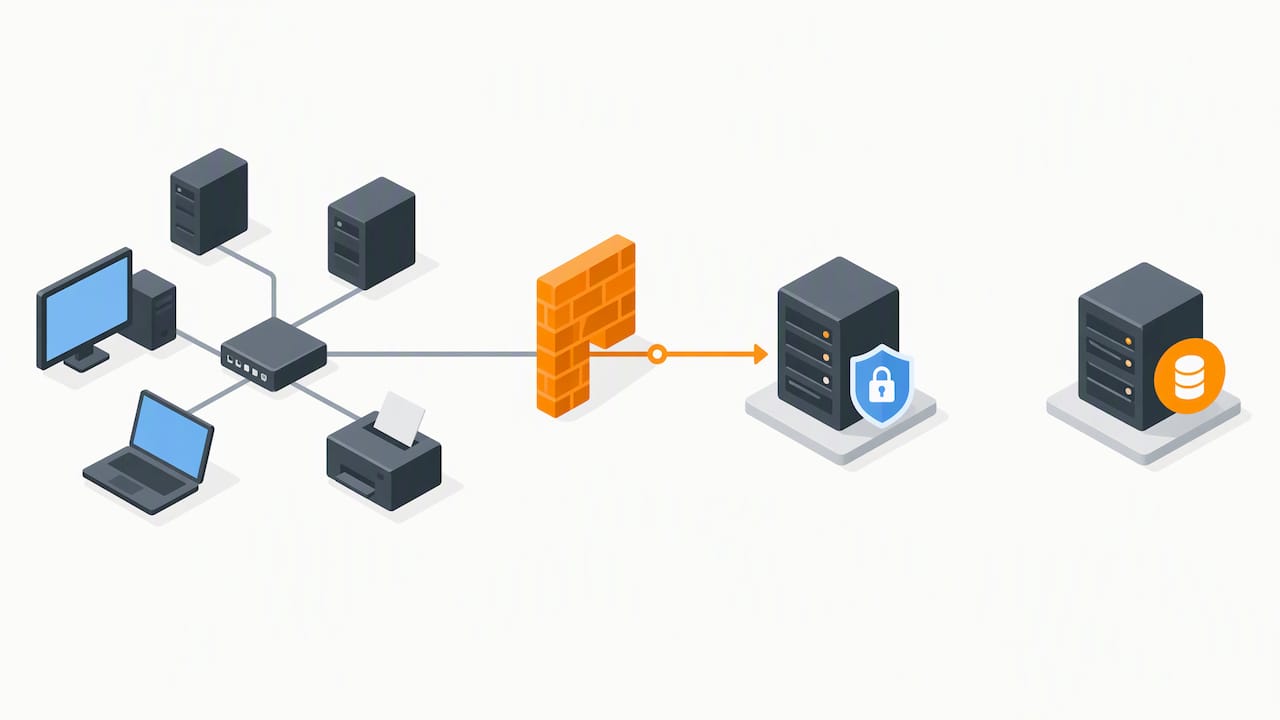
The classic 3-2-1 rule means three copies, on two different types of media, with one stored off-site. Stronger variants such as 3-2-1-1-0 add one offline or immutable copy and require zero errors when you test a restore. Three copies on the same network are not three copies if one stolen admin password can delete them all. Our explainer on the 3-2-1 backup rule for SMEs goes deeper, and our comparison of NAS and cloud backup covers recovery times. For a practical hybrid design, see how a tested 3-2-1 hybrid backup blocks ransomware.
Hardening matters as much as copying:
- Protect backup administration. Use a PAW, allow-list the IP addresses that can manage backups, and use an MFA method that is not on the admin device. NCSC guidance on PAW principles also suggests PAM so staff do not hold direct admin access to your highest-value backup systems.
- Use cloud protections. Turn on versioning and immutability where available, and set retention long enough that you can restore to a known-good point, not just last night’s already-encrypted state.
- Keep the footprint small. The fewer machines that can write to or delete backups, the fewer routes an attacker has.
- Plan the restore. Scan backups before use, restore only to clean machines, bring back minimum viable operations first, and expect it to take time.
Restoring takes time. The NCSC notes that restoration after a highly disruptive ransomware incident may take considerable time and should be planned and prioritised. Decide now which systems come back first.
If you run an online shop, platform-specific plugins can add a layer of protection; one roundup of BigCommerce backup plugins is a useful starting point for that sector.
How do you turn staff into a human firewall?
Technology blocks a great deal, but a person still has to decide whether to click. Good habits are cheap, and they work best when they are short and regular rather than a once-a-year lecture.
- Short awareness sessions. Short, regular sessions on current phishing tricks can be more useful than relying on an annual slideshow. Use real examples your staff might receive.
- Simulated phishing with a clear reporting route. Make reporting a suspicious email one click, and thank people who do it, even when the email turns out to be harmless.
- Mail defences. Spam filtering, mail authentication checks and safe browsing lists stop most junk before anyone sees it, a point the NCSC guidance repeats.
- Device hygiene. Control removable media, keep daily work on standard accounts rather than admin ones, and restrict risky browser extensions.
Treat these as a routine, like locking the office at night. The aim is not to make staff afraid of email but to make the safe action the easy one.
How can small businesses detect ransomware early?
Speed decides how bad an incident becomes. Ransomware may be present in a network before it encrypts anything, so monitoring can help you spot suspicious activity early.
Remote Monitoring and Management (RMM) tools watch device health, patch status and unusual behaviour across all your machines. Affordable EDR telemetry adds visibility into what each endpoint is doing. Our post on endpoint monitoring for SMEs without a full SOC sets out a realistic approach.
Watch for these signals:
- Many files being renamed or changed in a short time, especially with an unfamiliar extension.
- Unexpected admin logins, or new admin accounts nobody created.
- Security software being switched off or uninstalled.
- Backup jobs failing or backups being deleted.
When you see them, escalate straight away to your IT provider or an incident responder. Collect the evidence as you go: which machines are affected, what time it started, which accounts were involved and any ransom note. That record shortens the investigation and supports any regulatory report.
What should you do in the first 24 to 72 hours of an attack?
Stay calm and work through a short list. The order matters.
- Contain the spread. Isolate affected devices from the network, but do not wipe them yet. Preserve evidence for investigators and insurers.
- Call your response contacts. That means your IT provider, your insurer if you have cover, and the NCSC, which can offer support.
- Check your reporting duties. Under UK GDPR, you must report a personal data breach to the ICO within 72 hours of becoming aware of it, where it is likely to risk people’s rights and freedoms. Our data protection reading list notes that openness also helps others avoid the same attack.
- Do not rush to pay. UK law enforcement, the NCSC and the ICO do not encourage or condone ransom payments, and paying does not guarantee recovery or stop data leaking. The ICO also does not treat payment as a reason to reduce enforcement action, and payments may breach sanctions rules, as a joint ICO and NCSC letter makes clear.
- Rebuild trusted identity. If your identity systems may be compromised, reset credentials and rebuild trust in them before bringing systems back. Prepare a non-digital way to confirm who is who in incident meetings.
- Restore in priority order. Validate your backups, then bring back minimum viable operations first, and keep staff and customers updated honestly. Our guide to small business disaster recovery helps you decide what comes first.
Paying is not a plan. The NCSC position is that payment guarantees nothing and may not prevent repeat targeting, which is why your backups carry the weight.
How do you test your plan before you need it?
A plan nobody has tried is a guess. Set a rhythm you can keep, and write down what you learn each time.
- Run a tabletop exercise at least once a year. Walk leaders, IT and whoever handles legal and communications through a made-up attack. The NCSC Exercise in a Box offers a free starting point.
- Do technical restore tests regularly, and again after any major change to your systems.
- Check what the restore proves. Did you meet your recovery time and recovery point targets? Did third-party dependencies and communication workflows still work?
- Record lessons learned. Update contact lists, supplier expectations and insurer and legal contacts straight afterwards.
Pro Tip: Practise with your primary email and chat assumed to be down. Print the contact list and keep a copy offline.
Our view: resilience does not need an enterprise budget
In my experience, small businesses overspend on shiny tools and underspend on the boring things that actually save them. The two highest-leverage investments are proactive monitoring and offline backups that you have restored from at least once. Everything else, including training, mail filtering and patching, sits on top of those two. If you want the technical how-tos, our blog covers each in detail.
— Will
How do our care plans put this into practice?
Most of what we have described is a routine, and a routine is easier to keep when someone else runs it with you. Our Care Plans bring together remote monitoring, patching, cybersecurity, backup and recovery, and Microsoft 365 management for a fixed monthly cost, with no hidden extras. We start with an assessment, agree priorities, fix the biggest gaps first, then monitor continuously so problems are dealt with before they reach your business.

Ready to see where you stand? Contact us for a security review and we will talk you through the next sensible step.
FAQ
What prevents ransomware?
No single tool does. Layered controls work best: MFA on every account, fast patching, endpoint detection, filtered email and trained staff. Add a tested offline backup so you can recover if something still gets through.
What do hackers hate the most?
They dislike victims who are hard to break into and easy to recover. MFA, patched systems and offline backups remove their easy wins and their leverage. A business that can restore without paying gives them nothing to sell.
How can businesses protect themselves from cyber attacks?
Start with the basics from the NCSC’s mitigation guidance: MFA at remote access points, prompt patching, mail filtering and safe browsing lists. Then add monitoring, least-privilege access and an exercised response plan.
How do you check for ransomware?
Look for mass file changes, renamed files with odd extensions, unexpected admin logins, disabled security tools and failed or deleted backups. If you see any of these, isolate the device and call your IT provider immediately.
Should a small business pay the ransom?
We advise against it. The NCSC and ICO do not encourage payment, and it offers no guarantee of recovery. Tested backups and a rehearsed plan are the stronger answer.


